TL;DR
If your custom visualization markdown tile needs dynamic sorting, move sort logic into an Omni query view. Create ranked columns for each sort option, expose them as dashboard controls, and sort the results set by the selected rank.
Problem Summary
Custom markdown tiles are great for highly tailored visualizations — but they come with a big limitation: you can’t dynamically sort them from a dashboard.
Once the tile is added, you’re locked into the results set sort defined in the query. Only users with edit permissions can change it, which makes dashboards far less flexible for data consumers. This is applicable when recreating or copying custom visualizations from the Omni Markdown showcase.
Example: Pipeline Deals
I built a markdown tile to visualize our deal pipeline without requiring CRM access or licenses. Each deal is rendered as a row, similar to a “card with criteria checklist” pattern, giving the entire org a single, accessible view of pipeline health.

Different users want different perspectives, such as sorting by days reamining, ARR, etc. Markdown doesn’t support click-based sorting, so without intervention, you’re stuck.
Solution: Ranked Query Views
Instead of relying on markdown or dashboard sorting, push the ordering logic into the model layer.
Steps:
-
Leverage an Omni query view of a ranked list for each sort option over our whole repository of deals keeping our necessary primary key
-
Join your query view to your data source model
-
Add one column to our results set and sort by that column
-
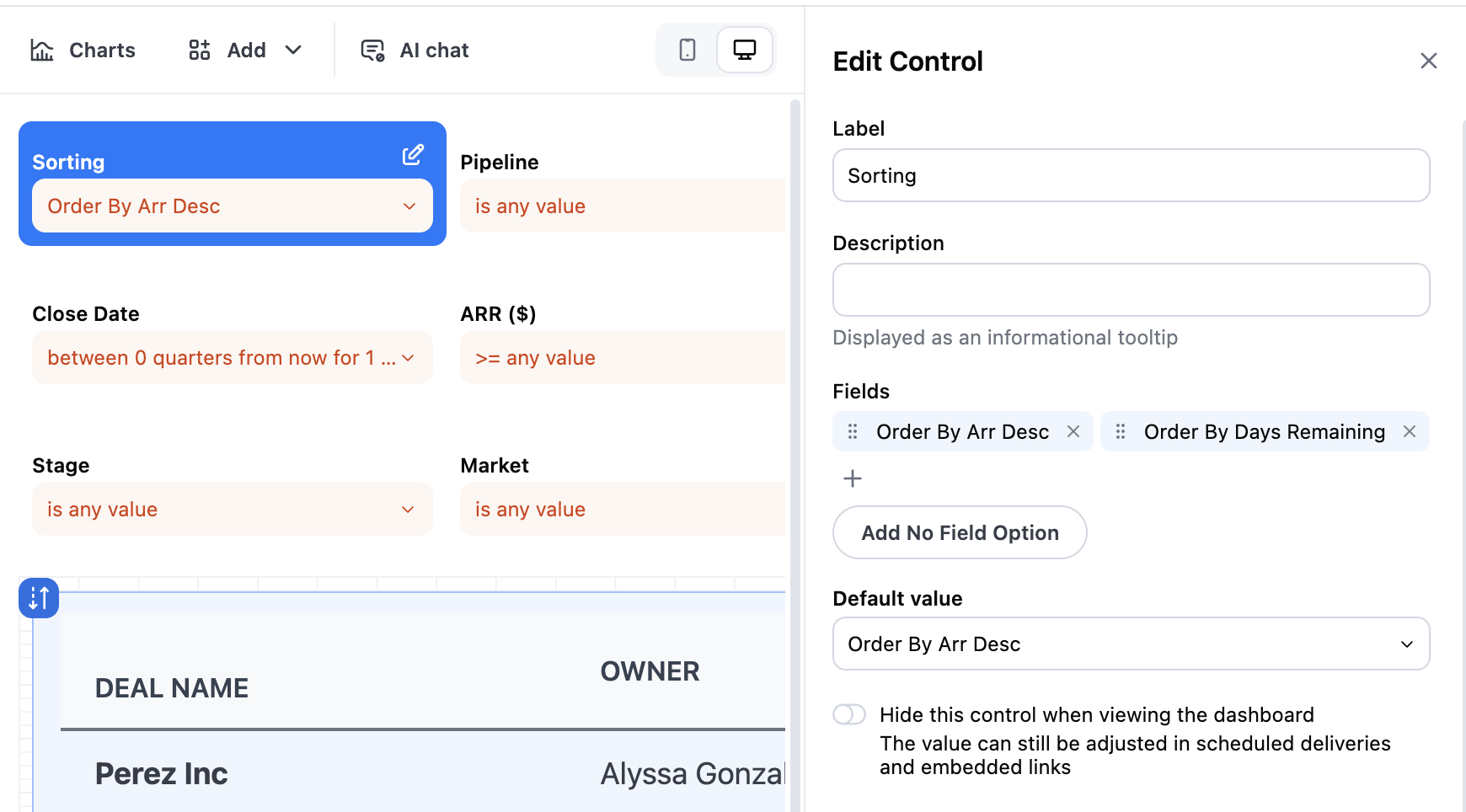
Add all your sort columns to a control selection on your dashboard


Result
Users can now dynamically sort the markdown tile by any custom ordering — without editing permissions, and without duplicating dashboards.
This turns markdown tiles from static visuals into fully interactive components.
